
Inspect traffic
New in 1.1
Search and filter traffic
On this page
The search field at the right of the toolbar filters the traffic list. Type text to match part of a URL, or type a token such as host: to filter by one field.
Search by text
- Press ⌘F, or click the Search traffic field.
- Type part of a URL, a method, a status code or a host.
- Stop typing to see the results, or press Return to search at once.
Text matches in any case. It does not search headers or bodies. To search inside a body, use the inspector's own field, as Inspect a request describes.
Search filters the sidebar entry you have selected. To search all captured traffic, select All traffic first.
Requests an app cancels itself are hidden before any search runs. outcome:aborted shows them only while Settings ▸ Capture ▸ Requests that did not complete ▸ Show cancelled requests is on.
Each press of Esc in the field does one thing. It closes the suggestions when they are showing. Otherwise it clears the whole search, chips included. With nothing to clear, it leaves the field. With a chip selected, it deselects the chip first. Leaving the field gives the traffic list the keyboard, so a Delete after that removes the selected requests. See Clear and delete.
Tokens
Type a token's prefix and a value, then press Return. The token becomes a chip in the field. While suggestions are showing, Return picks the highlighted one, as Suggestions describes.
| Token | Matches | Example |
|---|---|---|
host: | The whole host name, in any case. | host:api.myshop.dev |
method: | The HTTP method, in any case. | method:POST |
status: | A status code, a class or a range, from 100 to 599. | status:404, status:5xx, status:400-499 |
path: | Part of the URL path, in any case. The host and the query are not included. | path:/v1/cart |
app: | Part of the app name, in any case. app:unknown shows requests with no app. | app:claude |
pid: | One process ID. | pid:48213 |
country: | A two-letter country code, or local, mac or unknown. | country:DE |
outcome: | How the request ended: failed, aborted, timed_out or completed. | outcome:failed |
grpc: | The status of a gRPC-Web, Connect or gRPC call: error for any status but OK, OK, a status name or a number. | grpc:error, grpc:NOT_FOUND |
proto: | What the request spoke: h1, h2, ws or relay. | proto:h2 |
host:api.myshop.devmatches neithercdn.myshop.devnorapi.myshop.dev:8443. A request on a port other than 80 or 443 keeps the port in its host, so include it, as inhost:api.myshop.dev:8443. Use text for part of a host.- A request with no status never matches
status:. That covers a request still waiting for its response, a relayed connection, and a request that failed before any response, such as one whose app refused ReqRes's certificate. A Failed row that ReqRes answered with a 502 matchesstatus:502andstatus:5xx. ReqRes answers a gRPC call that fails this way with HTTP 200 instead, so useoutcome:failedfor those. outcome:andgrpc:ignore case,_and-.outcome:timeoutmeanstimed_out.grpc:not_found,grpc:NotFoundandgrpc:5all mean NOT_FOUND.proto:also takeshttp2,websocketandtcp.- A row that is not an RPC call matches no
grpc:token, not evengrpc:error. A row with no recorded protocol matches noproto:token. - The chips read the value, as in "Failed", "gRPC NOT_FOUND" or "HTTP/2". See why a request failed explains
outcome:, and Capture HTTP/2 and gRPC explainsgrpc:andproto:. country:also takes a country name. Pick the country from the suggestions, or typecountry:germanyand press Return. The chip shows the name. When no suggestion matches, a name that fits several countries, such ascountry:united, stays a text search.- See which app sent a request explains
app:andpid:. See where requests go explainscountry:.
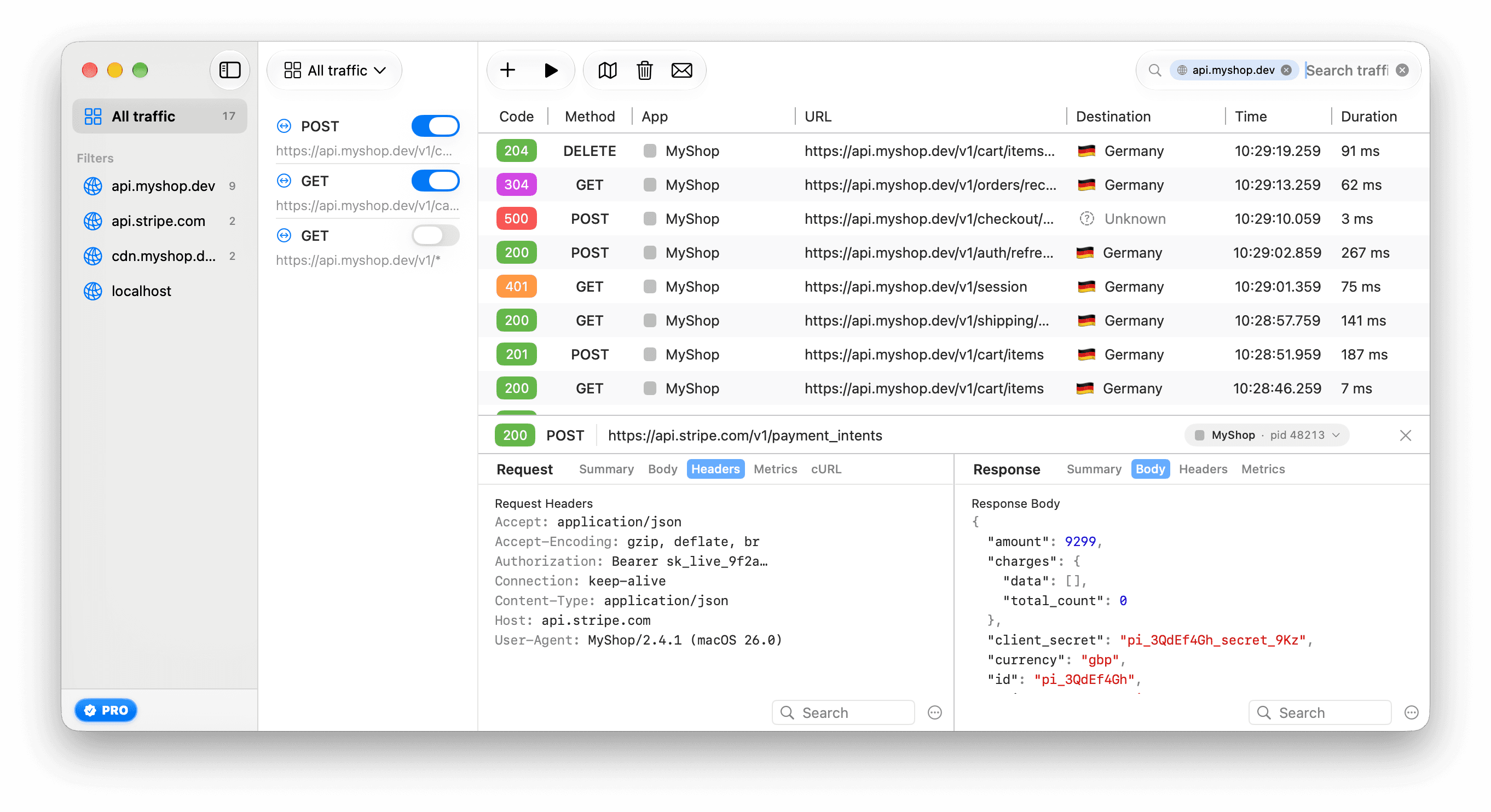
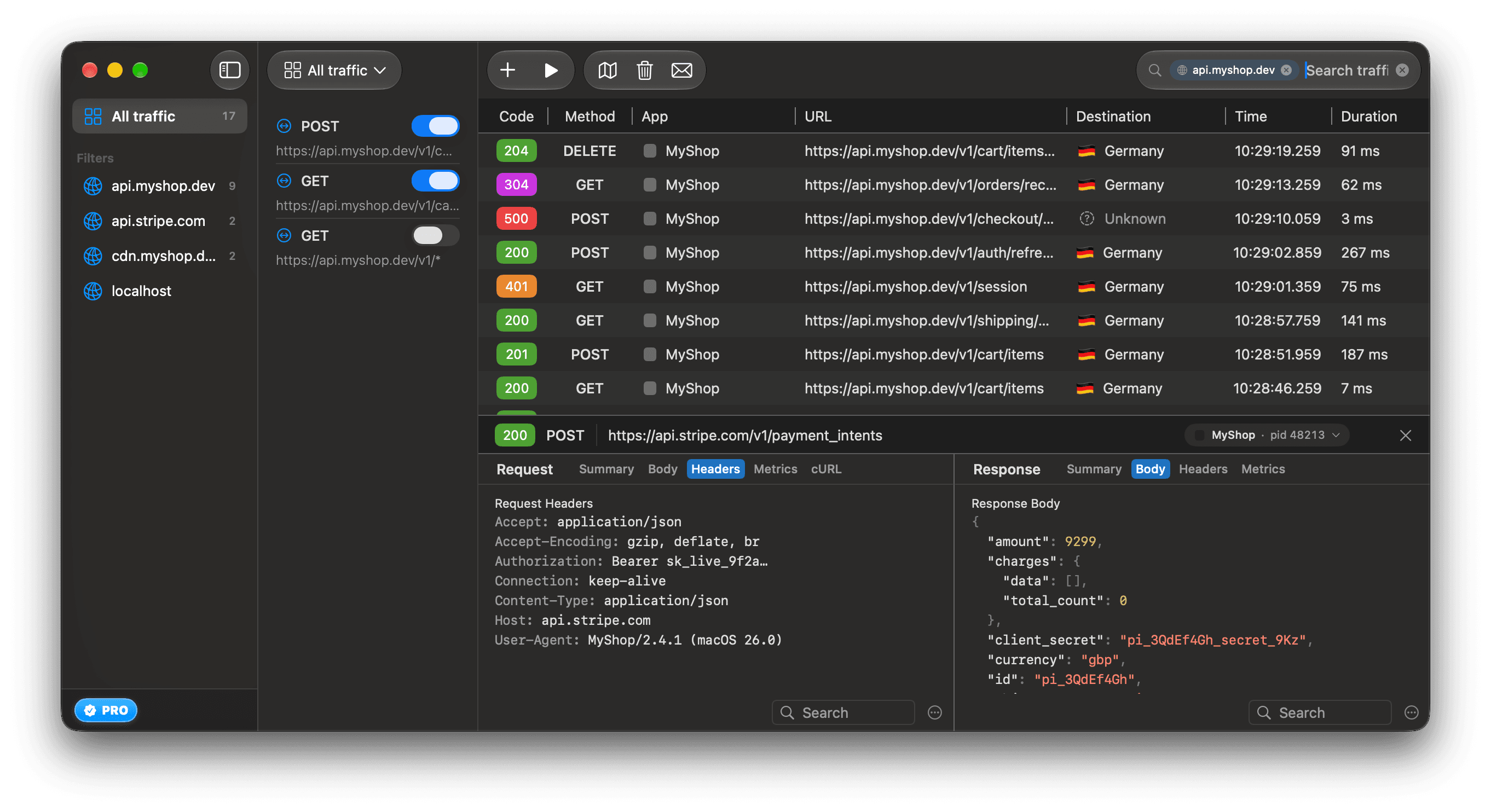
To remove a chip, click the ⊗ on it. Or press Delete at the start of the field to select the last chip, and press it again to delete it. The ⊗ at the end of the field clears the whole search.
How tokens combine
- Tokens of the same kind match either one.
status:4xxandstatus:5xxtogether show both. - Tokens of different kinds must all match.
host:api.myshop.devandmethod:POSTtogether show only POST requests to that host. - Text typed after the chips must match as well.
- A token ReqRes cannot read becomes a text search.
status:bananaandpid:curlsearch for that text.
Suggestions
Click the empty field to see the busiest hosts and apps. A line under them lists the prefixes: host:, app:, pid:, country:, method:, status: and path:. It does not list outcome:, grpc: or proto:, which work the same way.
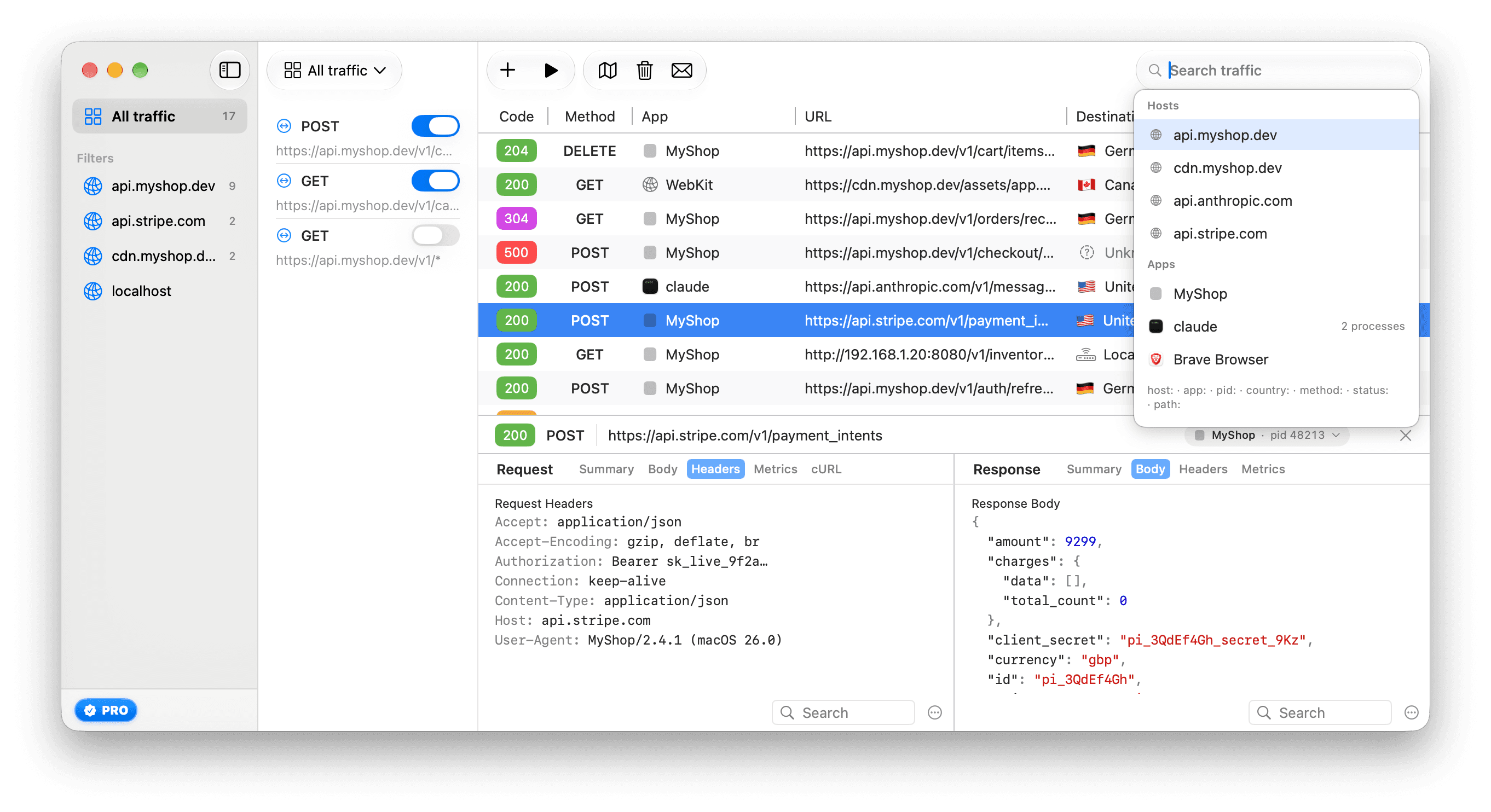
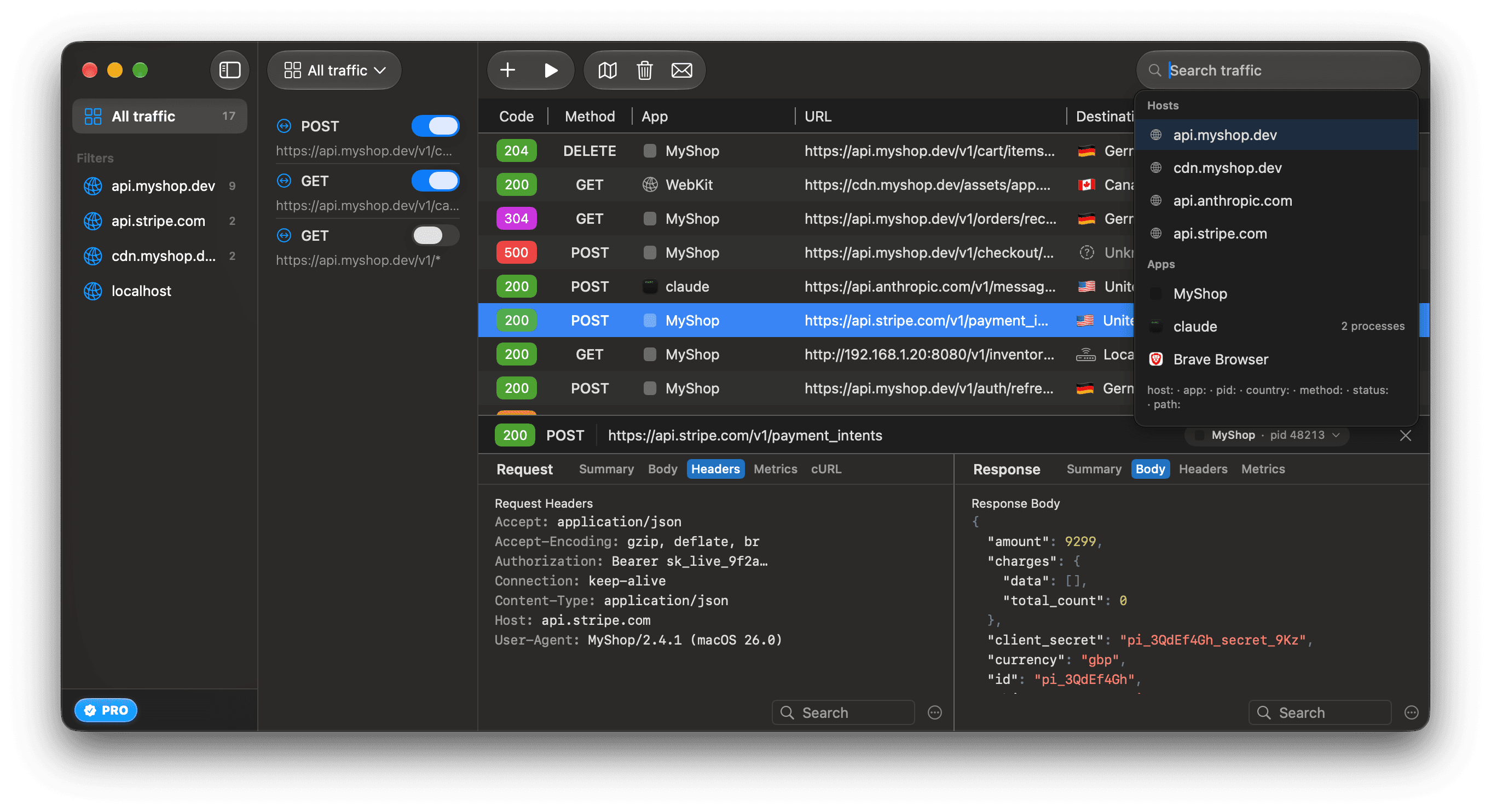
After you type a prefix, the suggestions offer values:
| Prefix | Group | Offers |
|---|---|---|
host: | Hosts | Hosts in captured traffic, busiest first, then your host filters. |
app: | Apps | Apps in captured traffic, with a process count when an app used more than 1. |
pid: | Processes | Process IDs, limited to the apps in your app: tokens. |
country: | Destinations | Countries, This Mac, Local Network and Unknown, with request counts. |
method: | Methods | GET, POST, PUT, PATCH, DELETE, HEAD and OPTIONS. |
status: | Status | 2xx, 3xx, 4xx and 5xx. |
outcome: | Outcomes | failed, aborted, timed_out and completed. |
grpc: | gRPC status | error and OK, then NOT_FOUND, UNAVAILABLE, PERMISSION_DENIED, UNAUTHENTICATED, INVALID_ARGUMENT, DEADLINE_EXCEEDED and INTERNAL, then the other status names. |
proto: | Protocols | h2, h1, ws and relay. |
path: has no suggestions.
Use the up and down arrow keys to move through the list, and Return to pick. The first suggestion is highlighted after each key you type, so Return picks it. Check it before you press Return: pid:123 commits pid 1234 when that process is the first suggestion.
When no suggestion matches, Return adds what you typed. host:api.example.com works before any request to that host arrives.
When nothing matches
The list shows "No Requests Found" with one of these messages:
| Search | Message |
|---|---|
| Text or tokens | "Requests matching your search query were not found." |
A country: token | "Nothing captured in the current view has Germany as its destination. The Destinations window counts all captured traffic — pick All traffic in the sidebar to see everything." |
An app: or pid: token | "Nothing captured from curl. A command-line tool may not read the system proxy — set it up in Settings ▸ Capture." |
app: or pid: when ReqRes cannot read apps on this Mac | "No requests match. ReqRes cannot tell which app makes a request on this Mac right now, so app: matches nothing — Capture ▸ Diagnose Setup… has the details." |
The "Nothing captured from…" message has an Open Capture Settings button. Capture command-line tools and agents explains the setup it opens.